If you’ve ever received a notification saying “Sent as a text message” instead of the usual blue iMessage bubble or rich messaging features, you may have wondered what it actually means. Does it indicate a problem? Has someone blocked you? Is your message still private? Or is it simply a normal part of texting?
The phrase “Sent as a text message meaning” has become one of the most searched messaging-related questions because millions of smartphone users encounter it every day. Whether you’re using an iPhone, communicating with Android users, or troubleshooting messaging issues, understanding this notification can help you avoid unnecessary confusion.
In this guide, you’ll learn exactly what “Sent as a text message” means, why it appears, how it differs from iMessage, SMS, MMS, and RCS messaging, and what it means in different situations. We’ll also cover common misconceptions, real-life examples, troubleshooting tips, privacy concerns, and frequently asked questions.
By the end of this article, you’ll know when this message is completely normal—and when it could signal a problem.
What Does “Sent as a Text Message” Mean?
Sent as a text message means your phone delivered the message using the standard SMS (Short Message Service) network instead of an internet-based messaging service like Apple iMessage or Rich Communication Services (RCS).
In simple terms:
Your message was sent through your mobile carrier rather than over Wi-Fi or mobile data.
Most commonly, iPhone users see this notification after a message that normally would have been sent as an iMessage.
Quick Definition
| Feature | Meaning |
|---|---|
| Phrase | Sent as a text message |
| Uses | SMS instead of internet messaging |
| Network | Cellular carrier |
| Internet Required | No |
| Common Devices | Mostly iPhone |
| Typical Reason | iMessage unavailable |
| Cost | May count as SMS depending on your mobile plan |
What Is SMS?
SMS stands for Short Message Service.
It is the original texting technology introduced in the 1990s and remains one of the most widely used communication methods worldwide.
SMS messages:
- Use your cellular network
- Don’t require Wi-Fi
- Work on almost every mobile phone
- Usually have a 160-character limit
- Can be sent even without internet access
Whenever your phone cannot use internet messaging, it often falls back to SMS.
What Does “Sent as a Text Message” Mean on iPhone?
This notification is primarily associated with Apple iPhones.
Normally:
- Blue bubble = iMessage
- Green bubble = SMS text message
If your iPhone displays “Sent as Text Message,” it means the message couldn’t be delivered through iMessage and was automatically sent through your carrier’s SMS network instead.
For most users, this is completely normal.
Why Does It Say “Sent as a Text Message”?
There are several reasons why this happens.
1. No Internet Connection
iMessage requires internet access.
If either person loses:
- Wi-Fi
- Mobile data
- Internet connectivity
the phone may automatically switch to SMS.
Example:
You send a message while riding through an area with poor internet coverage.
Instead of failing, your iPhone sends it as a regular text message.
2. iMessage Is Temporarily Unavailable
Sometimes Apple’s messaging servers experience temporary issues.
During these periods:
- iMessages may fail
- Messages automatically switch to SMS
- Communication continues without interruption
3. The Recipient Is Using Android
Android devices cannot receive iMessages.
Whenever you text someone using Android:
- Messages automatically become SMS or MMS
- You’ll typically see green message bubbles
This is expected behavior.
4. The Recipient Turned Off iMessage
Someone may have:
- Disabled iMessage
- Switched phones
- Reset their device
- Signed out of Apple ID
Your phone then sends messages using SMS.
5. “Send as SMS” Is Enabled
Apple includes a feature called Send as SMS.
When enabled, your iPhone automatically sends failed iMessages as regular text messages.
This prevents important conversations from getting stuck.
6. Weak Internet Signal
Even if you have cellular service, your internet connection may be unstable.
Examples include:
- Airports
- Elevators
- Underground parking garages
- Rural areas
- Large stadiums
SMS often works when internet messaging doesn’t.
Does “Sent as a Text Message” Mean Someone Blocked You?
No.
This is one of the biggest myths online.
Seeing “Sent as a text message” does not automatically mean you’ve been blocked.
Possible reasons include:
- Poor internet
- Apple server issues
- Recipient offline
- Recipient using Android
- iMessage disabled
- Temporary network problems
While blocked users sometimes notice changes in message delivery, this notification alone cannot confirm that you’ve been blocked.
Does It Mean the Message Was Delivered?
Not necessarily.
SMS and iMessage work differently.
iMessage
- Can show Delivered
- Can show Read Receipts (if enabled)
SMS
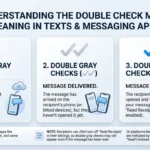
Most carriers do not provide delivery confirmations.
So:
“Sent as a text message”
simply means:
Your phone successfully handed the message to your mobile carrier.
It does not guarantee the recipient has received or read it.
Sent as a Text Message vs iMessage
| Feature | iMessage | Text Message (SMS) |
|---|---|---|
| Internet Required | Yes | No |
| Uses Mobile Carrier | No | Yes |
| Bubble Color | Blue | Green |
| Encryption | End-to-end | Usually no |
| Read Receipts | Yes | Usually no |
| Typing Indicators | Yes | No |
| Photos | High quality | Often compressed |
| Group Chats | Advanced | Basic |
| Works on Android | No | Yes |
SMS vs MMS vs iMessage vs RCS
Many people confuse these messaging technologies.
| Service | Internet | Supports Photos | Works Cross-Platform |
|---|---|---|---|
| SMS | No | No | Yes |
| MMS | No | Yes | Yes |
| iMessage | Yes | Yes | Apple only |
| RCS | Yes | Yes | Mostly Android |
Modern messaging is gradually shifting toward RCS and internet-based communication, but SMS remains the universal fallback.
Common Situations Where You’ll See This Message
Here are some everyday examples.
Traveling
You’re flying.
Airport Wi-Fi disconnects.
Your iPhone sends:
Sent as a text message.
Camping
No internet.
Cellular texting still works.
Your phone switches to SMS automatically.
Friend Switched to Android
Yesterday:
Blue bubbles.
Today:
Green bubbles with “Sent as a text message.”
Nothing is wrong.
They probably changed devices.
Apple Server Outage
Sometimes Apple services experience outages.
Messages temporarily become SMS until normal service returns.
What Does It Mean in Different Messaging Contexts?
In Everyday Texting
It simply means your message used standard texting.
No hidden meaning.
On Social Media
Sometimes people post screenshots asking:
“Why did my message send as text?”
Usually they’re worried about:
- Being blocked
- Relationship issues
- Technical problems
Most of the time, it’s simply a network issue.
In Dating
People often overanalyze messaging changes.
Example:
“My messages were blue yesterday and green today.”
Possible explanations:
- Switched phones
- Poor internet
- Disabled iMessage
- Traveling
Blocking is only one of many possibilities—not the default explanation.
In Workplace Communication
Business users frequently experience SMS fallback while:
- Traveling
- Working remotely
- Using company devices
- Experiencing VPN interruptions
This is normal and usually temporary.
During Emergencies
SMS often succeeds when internet messaging fails.
Emergency responders frequently recommend traditional texting because carrier networks may remain available even when internet services are congested.
Examples of “Sent as a Text Message”
Example 1
Alex: Are we still meeting today?
(Sent as a text message)
Meaning:
Alex’s phone used SMS instead of iMessage.
Example 2
Emily: Happy Birthday!
(Green bubble)
Meaning:
The birthday message was sent through the carrier.
Example 3
John: I’m outside.
(Sent as a text message)
Possible reasons:
- Weak Wi-Fi
- No mobile data
- Recipient unavailable on iMessage
Is It Safe?
Generally, yes.
However, there are privacy differences.
iMessage
- End-to-end encrypted
- Strong privacy protections
SMS
- Less secure
- Not end-to-end encrypted
- Can be intercepted under certain circumstances
For sensitive conversations, internet messaging apps with end-to-end encryption offer stronger privacy than traditional SMS.
Can You Prevent Messages From Sending as Text Messages?
Yes.
You can reduce SMS fallbacks by:
- Keeping Wi-Fi enabled
- Maintaining mobile data
- Updating iOS
- Keeping iMessage activated
- Signing into your Apple ID
- Using stable internet connections
You can also disable automatic SMS fallback in your messaging settings if you prefer failed iMessages rather than SMS delivery.
Common Misconceptions
Myth: Green Bubble Means You’re Blocked
False.
Green bubbles simply indicate SMS.
Myth: Sent as Text Means Delivery Failed
False.
It means the message switched to SMS.
Myth: SMS Is Obsolete
False.
Billions of SMS messages are still sent every year.
Myth: Only Old Phones Use SMS
False.
Every modern smartphone still supports SMS.
Related Messaging Terms
Understanding similar terms can prevent confusion.
| Term | Meaning |
|---|---|
| SMS | Standard text messaging |
| MMS | Multimedia text messaging |
| iMessage | Apple’s internet messaging service |
| RCS | Rich messaging standard for many Android devices |
| Delivered | Message reached recipient’s device |
| Read | Recipient opened the message |
| Green Bubble | SMS |
| Blue Bubble | iMessage |
Tips for Using SMS and iMessage
Follow these best practices:
- Keep your device updated.
- Use Wi-Fi whenever possible.
- Don’t assume someone blocked you based on one green message.
- Verify your iMessage settings if messages suddenly change.
- Remember that SMS may incur carrier charges depending on your plan.
- Avoid sending sensitive information through SMS when secure alternatives are available.
Why This Message Is Becoming More Common
Messaging technology continues to evolve.
People now switch between:
- Wi-Fi
- Mobile data
- Satellite connectivity (on supported devices)
- Carrier texting
- Internet messaging
Because phones automatically choose the best available method, seeing “Sent as a text message” has become increasingly common and is usually nothing to worry about.
Frequently Asked Questions
Does “Sent as a text message” mean the recipient received my message?
Not necessarily. It means your phone sent the message through your carrier’s SMS service. Whether the recipient received it depends on their network and device.
Why did my blue message suddenly turn green?
A blue message turning green usually means iMessage wasn’t available, so your phone switched to SMS.
Can someone receive SMS if they don’t have internet?
Yes. SMS works through the cellular network and doesn’t require an internet connection.
Why does my iPhone keep sending text messages instead of iMessages?
Common reasons include poor internet connectivity, disabled iMessage, Apple server issues, or messaging someone who doesn’t use an Apple device.
Is SMS more reliable than iMessage?
In areas with weak internet but available cellular service, SMS can be more reliable. However, iMessage offers more features and stronger encryption when internet access is available.
Does “Sent as a text message” affect photo quality?
Yes. Photos sent through MMS, the multimedia extension of SMS, are often compressed and may appear lower in quality compared to iMessage or RCS.
Can I turn off “Send as SMS”?
Yes. On an iPhone, you can disable the Send as SMS option in your Messages settings. If you do, failed iMessages won’t automatically be resent as SMS.
Does this message cost money?
It depends on your mobile carrier and plan. Unlimited texting plans generally include SMS at no extra cost, while some plans may charge per message, especially for international texts.
Why does this happen with one person but not others?
That person’s device may be offline, using Android, have iMessage disabled, or be experiencing network issues, causing your phone to use SMS for that conversation.
Final Thoughts
Understanding the “Sent as a text message” meaning can save you from unnecessary worry. In most cases, it simply indicates that your phone used the traditional SMS network instead of an internet-based messaging service like iMessage. This often happens because of a temporary internet issue, messaging someone on a different platform, or a change in the recipient’s device or settings.
Rather than assuming the worst—such as being blocked—consider the many routine reasons why SMS fallback occurs. Knowing the difference between SMS, MMS, iMessage, and RCS helps you interpret message status accurately, troubleshoot common issues, and choose the best communication method for your needs.
The next time you see “Sent as a text message,” you’ll know it’s usually just your phone ensuring that your message has the best chance of reaching its destination.